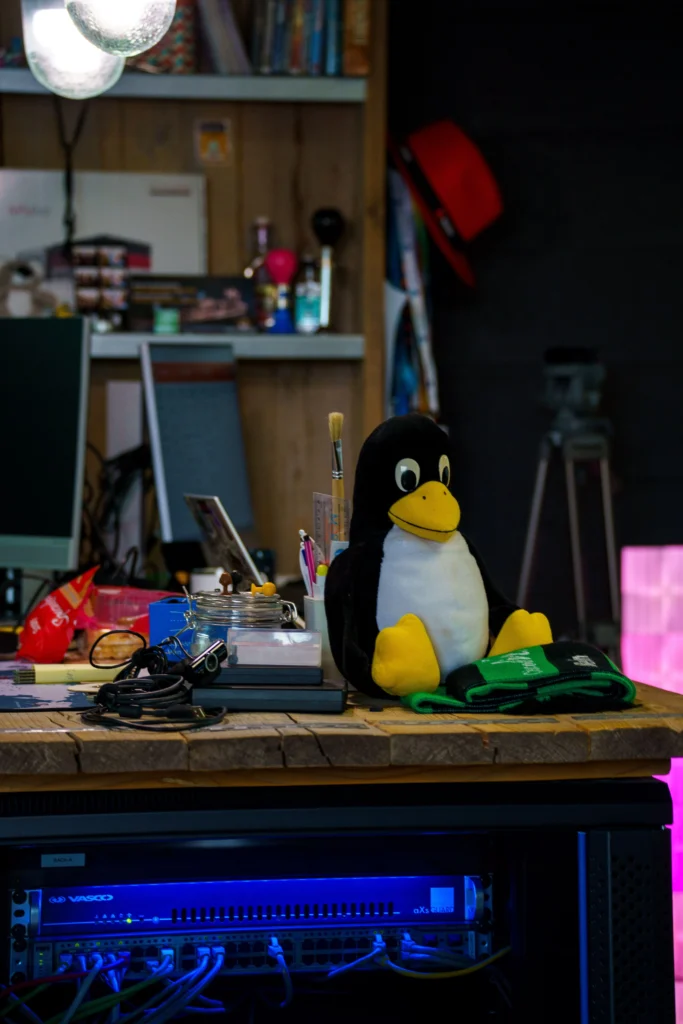
Intro to benefits of Linux for beginners
Are you tired of paying for expensive operating systems? Do you worry about privacy and security online? If so, it’s time to discover Linux. For beginners considering a switch from Windows or macOS, understanding the is crucial. This comprehensive guide explains why Linux is the perfect choice for anyone looking to take control of their computing experience.
What is Linux?
Before exploring the, let’s define what Linux actually is. Linux is a free, open-source operating system that manages your computer’s hardware and software. Unlike Windows or macOS, Linux is maintained by a global community of developers who work together to improve it constantly.
Linux was created in 1991 by Linus Torvalds and has since become one of the most powerful and widely-used operating systems in the world. Today, Linux powers everything from smartphones to supercomputers, web servers to smart home devices.
The Primary Benefits of Linux for Beginners

1. It’s Completely Free
The most obvious benefit of Linux for beginners is the price tag. Linux is 100% free to download, install, and use. You’ll never need to purchase expensive licenses or worry about software expiring. This is a massive advantage, especially for students, freelancers, and budget-conscious users. The start with saving hundreds of dollars on operating system costs.
2. Superior Security
One of the most important is superior security. Because Linux is open-source, thousands of developers review and audit the code regularly. Any security vulnerabilities are quickly identified and patched by the community. Unlike proprietary systems, you don’t have to wait months for security updates.
Additionally, the include protection from malware and viruses. Linux is far less vulnerable to these threats because of its robust security architecture and smaller target for hackers compared to Windows.
3. Enhanced Privacy Protection
Privacy is a critical concern in today’s digital age. One of the most valuable is that it respects your privacy. Linux doesn’t collect your personal data, track your activities, or sell your information to third parties like some other operating systems do.
maintain complete control over your data. You know exactly what your operating system is doing and can verify it by examining the source code yourself if desired.
4. Stability and Reliability
include exceptional stability. Linux systems can run for years without requiring a restart. Web servers and enterprises rely on Linux because it simply works. Beginner users will appreciate that Linux rarely crashes or slows down over time like some other operating systems do.
5. Powerful Customization Options
With you get complete control over your system. You can customize virtually everything—from the user interface to the kernel itself. Unlike proprietary systems that force you to use what the company decides, the include the freedom to modify your OS exactly how you want it.
6. Extensive Community Support
Perhaps one of the most overlooked is the incredible community support. The Linux community is welcoming, knowledgeable, and always ready to help newcomers. You’ll find thousands of tutorials, forums, documentation, and active communities eager to answer your questions.
7. It Powers the World
Understanding recognizing that Linux runs the internet. Most web servers, cloud infrastructure, and critical systems worldwide run on Linux. By learning Linux, you’re learning skills that the tech industry values highly.
Popular Linux Distributions for Beginners
Not all Linux versions are the same. Different distributions (or “distros”) package Linux with different tools and philosophies. Here are the best specific distributions:
Ubuntu
Ubuntu is widely considered the best Linux for beginners. The choosing Ubuntu include a polished, user-friendly interface that rivals Windows and macOS. Ubuntu comes pre-loaded with useful software, extensive documentation, and one of the largest communities in the Linux world.
Linux Mint
Linux Mint is specifically designed with beginners in mind. The using Mint include an intuitive desktop environment, minimal configuration needed, and compatibility with many Windows applications through tools like Wine.
Fedora
Fedora represents the cutting edge of Linux development. The interested in learning modern Linux features make Fedora an excellent choice, though it updates more frequently than other distributions.
Elementary OS
Elementary OS is known for its beautiful, aesthetically-pleasing design. The include an elegant interface that makes computing enjoyable, perfect for users coming from macOS.
How to Get Started: Step-by-Step Guide
Ready to experience the Here’s your roadmap:
Step 1: Choose Your Distribution
Start by selecting which Linux distribution appeals to you. For beginners, Ubuntu or Linux Mint offer the best combination of Visit their official websites and read about each option.
Step 2: Create Bootable Installation Media
Download your chosen distribution as an ISO file and create a bootable USB drive. This allows you to test the without installing anything permanently.
Step 3: Try Before You Install
Most Linux distributions allow you to run from the USB drive without installation. This is an excellent way to experience , risk-free. Explore the interface, test applications, and confirm it meets your needs.
Step 4: Install Linux
When ready, follow the straightforward installation wizard. You can keep your current operating system and dual-boot, or completely replace it. The choice is yours, and both options let you enjoy .
Step 5: Explore and Learn
Once installed, spend time exploring. Install applications, customize your desktop, and join Linux communities. extend into a supportive ecosystem where learning is encouraged.
Common Concerns About the Benefits of Linux for Beginners
“Isn’t Linux too complicated?”
Modern Linux distributions are designed for ease of use. The benefits of Linux for beginners include interfaces as simple as Windows or macOS. Technical complexity is optional—you only engage with it if you want to.
“Will my software work?”
Most applications have Linux equivalents. free alternatives exist for nearly everything. However, research your specific needs before switching.
“What if I need help?”
The community supporting among the most helpful on the internet. Answers to virtually any question are a search away.
“Is it really as secure?”
Yes. The benefits of Linux for beginners regarding security are well-documented. Linux’s transparency and community auditing make it genuinely more secure than proprietary alternatives.
Real-World Benefits of Linux for Beginners
For Students: The benefits of Linux for beginners in education include free software for development, deep understanding of how computers work, and skills valued in tech careers.
For Professionals: Understanding the helps professionals transition to Linux-based servers and development environments common in modern workplaces.
For Home Users: The mean faster, more reliable computers without vendor lock-in or forced upgrades.
For Privacy-Conscious Users: provide complete transparency and control over personal data.
Making the Transition Easy
The benefits of Linux for beginners don’t require an all-or-nothing switch. You can:
- Dual-boot Linux alongside your current OS
- Use virtual machines to test the safely
- Start with live USB to experience the before committing
Conclusion
The benefits of Linux for beginners are substantial and transformative. From saving money to gaining security, privacy, and control, Linux offers advantages that proprietary operating systems simply cannot match. Whether you’re motivated by cost, security, freedom, or privacy, the compelling enough to warrant serious consideration.
The best time to experience the benefits of Linux for beginners is today. Download Ubuntu, create a bootable USB, and discover why millions worldwide have switched to Linux. You might find that the open up a whole new world of computing freedom and possibility.
By choosing Linux, you’re not just switching operating systems—you’re joining a global community of users and developers who believe in freedom, transparency, and user empowerment. The extend far beyond what this guide can cover. Start your Linux journey today and unlock the potential that awaits.